
Create Your DVIP Account
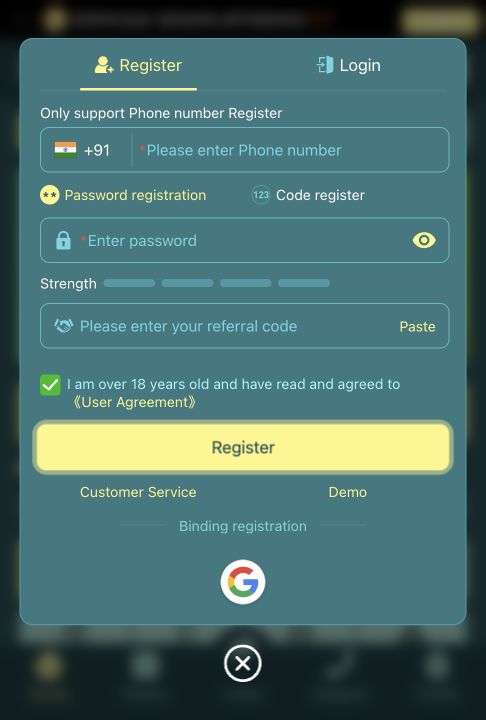
The DVIP registration form starts with a phone number. Choose the password or code option displayed in the form, check the required fields and read the User Agreement before submitting.
Register from the platform homepage
- 01
Select Register
Open DVIP and choose Register. The current form shows the India +91 phone prefix.
- 02
Choose the displayed signup method
Enter your phone number and use Password registration or Code register. Complete the fields shown for that method; use your own reachable number.
- 03
Check the referral field and agreement
The form includes a referral-code field. Use a code supplied through your intended invitation if applicable, and read the User Agreement and age requirement.
- 04
Submit and check the result
Select Register once the required fields are complete. Follow any verification prompt and check for a success message or a specific error.
If registration does not complete
Phone number already registered
Use Login or Forgot Password. Do not create repeated accounts to work around a login problem.
Code has not arrived
Check the phone number and country prefix. Follow the resend timer in the form; do not share verification codes with anyone.
A field is rejected
Read the message beside the field and correct that item. For an unclear error, use Customer Service from the registration panel.
After creating your account
Open the game categories or the specific event you want to explore. Creating an account and qualifying for an offer are separate steps; check the offer requirements before claiming.