
Official DVIP App
DVIP App DownloadYour Games, Ready for Your Phone
Choose the DVIP app for Android or iOS, explore 200+ games and discover the ₹577 App download activity. Compare lightweight and native packages below, then continue through the platform homepage.
₹577
App Download Activity
100K+
App Downloads
Android + iOS
App Options
Choose Your DVIP App
Lightweight and native options are available from the same homepage download entry. Use the package that matches your device.
Android
Choose the 7.4 MB lightweight package or the 96.8 MB native app from the platform homepage. The native Android app requires Android 5.0 or later.
iOS
Choose the 5.75 MB lightweight package or the 95.96 MB native app from the platform homepage. Follow the installation instructions shown for your device.
Mobile and desktop web
The same DVIP website can be used on a phone or computer. You can open the web entry before choosing whether to install an app.
DVIP app package sizes
| Device | Package | Download size | System requirement |
|---|---|---|---|
| iOS | Lightweight | 5.75 MB | No fixed minimum OS version requirement. |
| iOS | Native | 95.96 MB | No fixed minimum iOS version requirement. |
| Android | Lightweight | 7.4 MB | No fixed minimum OS version requirement. |
| Android | Native | 96.8 MB | Android 5.0 or later. |
All app download entries are at the top of the platform homepage. Follow the instructions for the package you select.
Discover the ₹577 App Download Reward
Find the ₹577 App download activity in the banner at the top of the DVIP platform homepage. Open DVIP and tap Download now to view the package options and current activity instructions.
- 01
Open the platform homepage
Use the DVIP button below and find the top banner marked DOWNLOAD GENUINE APP BONUS 577.
- 02
Tap Download now
Open the download prompt and choose the Android or iOS package that matches your device.
- 03
Check the activity instructions
Follow the download and reward instructions shown in the platform. Eligibility and claiming conditions are set by the current activity.
From the homepage to the app prompt
- 01
Open DVIP
Use the platform button below and look for Download now at the top of the homepage.
- 02
Wait for the prompt
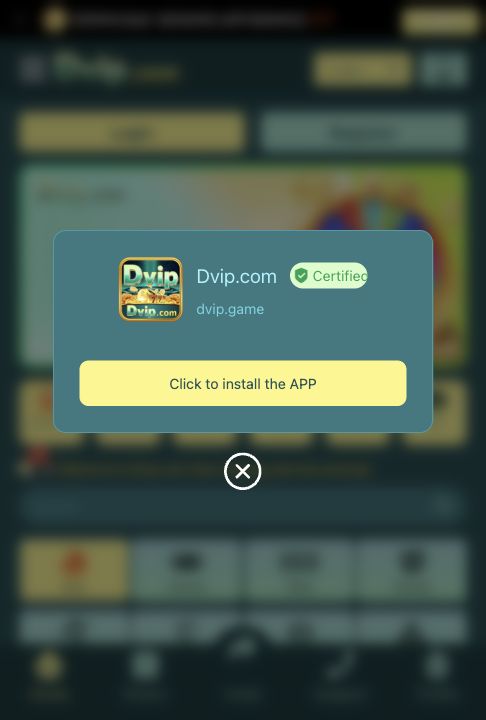
The current interface shows a loading progress followed by a Dvip.com prompt with the dvip.game domain.
- 03
Continue on your device
Select Click to install the APP, then read the browser or device instructions before continuing.
Download questions
Do I have to install the app before registering?
No. The DVIP website has a Register form, so you can start from the web entry.
What are the DVIP app download sizes?
iOS: 5.75 MB lightweight or 95.96 MB native. Android: 7.4 MB lightweight or 96.8 MB native. Find both options at the top of the platform homepage.
What if the app prompt does not appear?
Close any event overlay, check your connection and select Download now again. If the problem continues, use the mobile website and contact support.
Does an app download automatically credit ₹577?
The ₹577 amount belongs to a platform activity. Check its eligibility, completion and claiming rules rather than assuming every download automatically credits the reward.